Showing posts with label Site I Joined. Show all posts

Thursday, June 21, 2012

Project Boards while making blogs

I would like to share this kind of affiliate program I just recently added on my blogs. I found this project board when I visited the Online Jobs Philippines website to find what's new. My eyes was caught with this project board which a lot of jobs are listed from time to time.

So I started visiting the site and sign-up for it as a member. On seconds, I became one. As I noticed, there are six free apps given to members namely:

  • Job Finder
  • My Site Stats
  • Free to choose
  • Free to choose
  • Free to choose
And you can choose between:
Free Apps

  1. Base CRM - which easily manage clients relations and track new leads [CRM]
  2. Docracy - lets you save legal expenses by using and e-signing documents with clients
  3. Fanzilla(which I also added in my free app) - helps you improve your facebook page to get more likes and leads.
  4. Itweetlive - automatically target new  relevant costumers on twitter.
  5. Billgrid.com - lets you send invoices, track payments and manage online expenses.
  6. Clockodo - track your working times quickly, simply and reliably online.
  7. Bookingbug - lets you take online booking inquiries from new and existing customers.
  8. Kashflow - intuitive, easy to use online accounting softwares for free lancers.
But what really made me involve in this site is that aside from giving you these free apps, it does also allow publishers like us bloggers to earn while posting some built-in project boards or listed-related-jobs.
Project Board

They offer a widget type to display listed jobs. And these was really a helpful kind of affiliate I've ever discover since the day I blog :).

To visit my project board, just click here and start finding jobs for you.

Monday, May 28, 2012

Get paid to chat

Update: We are sorry to inform that the said get paid to chat site mentioned in this post is already not available as of the moment. The said domain is for sale at this time. We no longer wish to endorse the said site.

We, however, are on search for sites to share and wish to review it first before endorsing. We will give you update on what we are working for on the said 'get to paid chat'. Thank you.


Friday, May 18, 2012

How to put links widget within your blog from your own posts?

Today, I had a visitor named GB, so I tried to visit his blog also. So, as I examined his blog, it was really wonderful. The whole is in a white background and that its clean and amazing. But what really amaze me more was the LinkWithin widget he had. It is the automated links within your blog. This was all I've been looking for months now and thanks to him.

Anyways, I hurriedly and excitedly signed-up for it.


  1. First, you open the website LinkWithin.

    2.    Then install the widget within your blog. Just follow the instructions given in LinkWithin.
Installing the widget within your blog.

    3.     Put it under your blog post. Then save. :)
Putting it under blog posts.

And that's it. But it will took hours for LinkWithin to set post related to each other. It's just ok anyway. The important about it is that you won't put link posts within your blog manually, right? Let's start enjoying it!Start making your blog.Set Up Your Blog Now!

Friday, May 4, 2012

How I joined Commission Junction

Commision Junction is a website compounding a lot of advertisers with different products. It is really a great opportunity for publishers to be a member of it. Recently is know as cj.com.

Just today, I signed for an account on CJ:

  1. First, go to Commission Junction website 
  2. Click the Get Started
  3. Click the Publisher and an explanation of its function appears. You may also be an Advertiser, making your own Agency or Network.
  4. Then, click the Get Started Now.
  5. Complete all the necessary information needed for the registration as a publisher. And that's it.
To started on publishing ads with your blog:
  1. Go to Get Links.
  2. Choose your preferred categories for advertisers.
  3. Tip: Select all Advertisers so that you can find as many as you can at a time.
  4. Click the Apply to Program and see how many approvals you get.
To see how many advertisers approved you being their publisher:
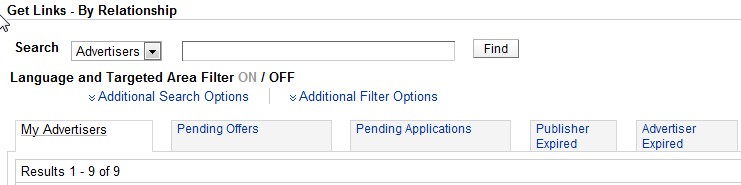
  1. Click By Relationship, still under Get Links.
  2. Click on your preferred Advertiser.
  3. Click on Get Links. A series of products or services they offered are shown.
  4. On the right end corner of the table, click on Get HTML.
  5. Then post it on your blog!
Here's mine:
My Commission Junction Ad
Let's see how these works with me. I'll have an updated post with these soon.

Related Posts Plugin for WordPress, Blogger...